
October 18, 2026

Although modern smartphones allow switching SIM cards without turning off the device, a report published by Engadget stated that turning off the phone before replacing the SIM gives it an opportunity to read the new telecommunications company settings upon restarting. “Airplane mode” can be used as an alternative to updating the connection, with the need to carefully handle the SIM and its tray to avoid damage or loss of data.
Manual handling is limited to traditional SIM cards, while replacing the electronic “eSIM” card is a simple process that takes place via a quick response code (QR), the telecommunications company’s application, or direct transfer between phones. Most eSIM-compatible devices have the ability to store multiple electronic SIM cards, with a limitation in the number of SIM cards that can be activated simultaneously.
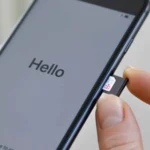
To replace the physical SIM card, it is recommended to follow these steps: turn off the phone or optionally activate Airplane mode, then gently remove the SIM tray using a paper clip or a dedicated ejector tool into the small slot, replace the SIM card, ensuring that the appropriate size is used, then return the tray to its place, and enter the personal code (PIN) or restart the device if necessary. If the phone supports two SIM cards, the SIM card to be replaced must be specified in advance.
Although some people prefer “eSIM” technology because it is free of moving parts, others prefer traditional SIM cards because of the privacy and ease of use they provide, such as the ability to purchase and use prepaid and pay-per-use SIM cards directly from stores.
Most of the risks associated with SIM swapping are potential physical damage, such as dirt or moisture getting into the tray, or trying to insert an incompatible-sized SIM, which could break the tray or damage the SIM itself. It is noteworthy that a damaged or incorrectly installed chip may cause the phone to make failed attempts to connect to the network, which leads to battery drain and the device overheating.