

How do you detect which app is draining your phone’s battery? Practical steps for energy testing
It is possible that one of the applications installed on your phone is the hidden reason behind the rapid draining of the battery, without the user noticing a noticeable increase in the rate of use, as the local system allows phones to monitor the applications that consume the most energy in record time and without the need to download external programs.
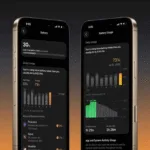
Modern smartphones offer built-in energy monitoring tools; On Android devices, this data can be accessed by going to “Settings” then “Battery,” with slight differences in menu labels depending on the manufacturer and system version. As for iPhones, details of application consumption are displayed within the battery settings, arranged in ascending order according to the percentage of energy consumed by each application.
On the other hand, the appearance of an application at the top of the list does not mean that there is a technical malfunction, as video applications and games consume high levels of energy is normal when used for long periods, which requires comparing the consumption percentage with the actual duration of use.
The real problem arises when a little-used application records high power consumption rates, as a result of its continuous activity in the background to perform specific tasks such as determining location, synchronization, or updating content. This is addressed by reviewing the application’s permissions and restricting its background activity, or by ensuring that it is updated to the latest available version.
On the other hand, if it turns out that application consumption is within normal rates and the battery continues to drain quickly, it is recommended to check the technical condition of the battery itself, in addition to checking additional factors including screen brightness level, wireless connections, network signal strength, and device temperature.